Patch notes
New! Wheel of Misfortune – 2.0 update!
A much-needed improvement to StreamAlertsTV's most-used Bits interaction in the Twitch Extension.
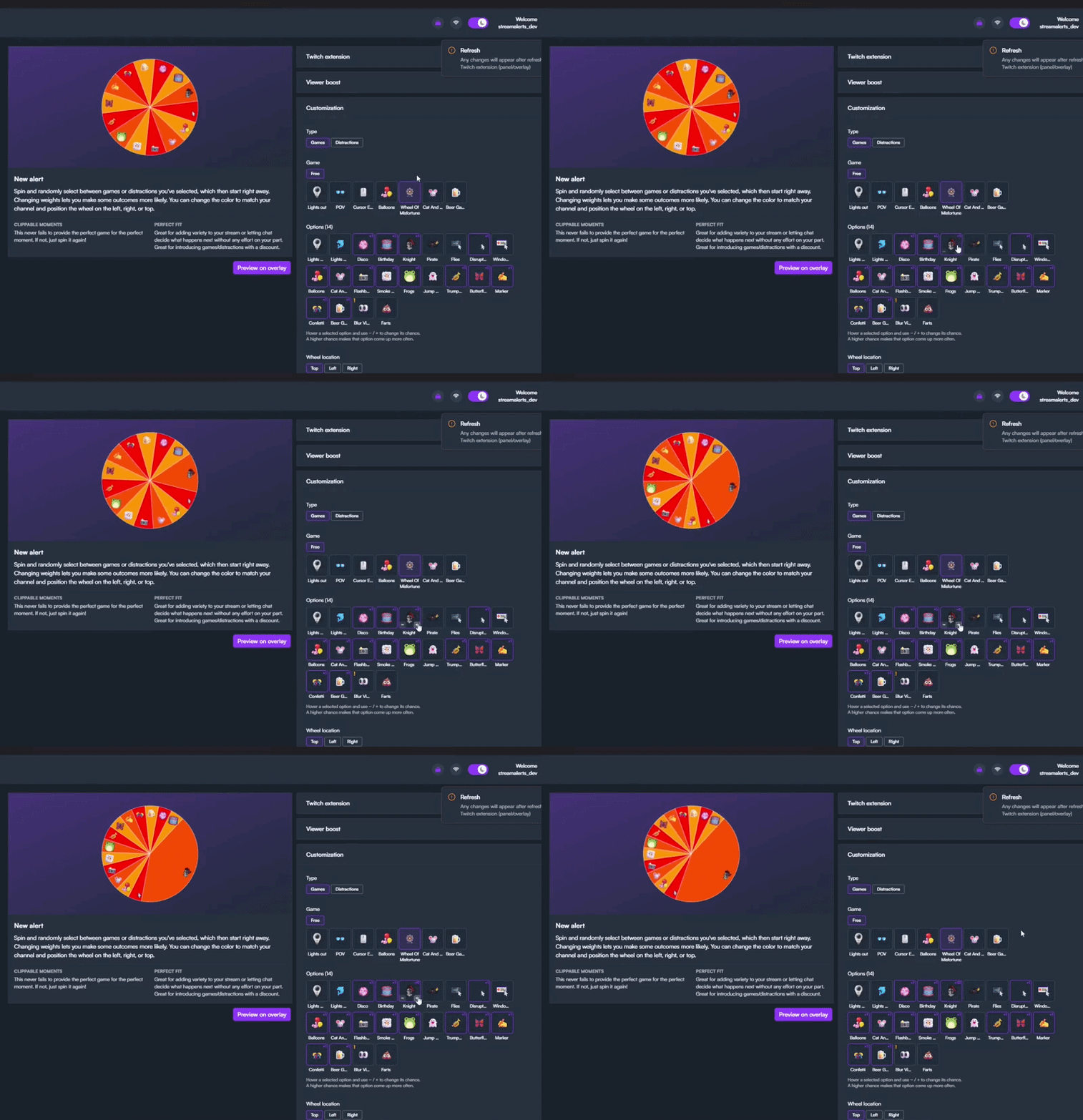
We've added
- Weights: give items a higher chance to land on the wheel.
- Visuals: improvements to the customization process.
- Clips: added tips to help you turn spins into content.
Spinning the wheel is the most popular interaction by far. By adding weights to the wheel, you gain more control over the chaos. You decide the chances, so expect some outcomes to hit more often and others to become rarer with a simple adjustment. Here is how:
- 1. Add the Wheel of Misfortune as a new game.
- 2. Customize which games you want to activate.
- 3. Change weights and increase the chance by clicking on the + sign.
- 4. Make further changes, such as the color and the cost in Bits.
You can use these settings to reduce the chance of a high-impact disruption, such as Knight POV or Lights Out. That way, when it does land, the distraction feels much more impactful. Hopefully your viewers are up for the challenge and redeem the wheel more often.
 Now available on Steam